Personal customers
Creating an FX transfer
An FX Transfer is the movement of funds between two of your Fire accounts of different currency.
This differs from an Internal Transfer, which is the movement of funds between two of your Fire accounts of the same currency.
- Sign in to your Fire Personal Account.
- Click on the ‘Fire Accounts’ section.
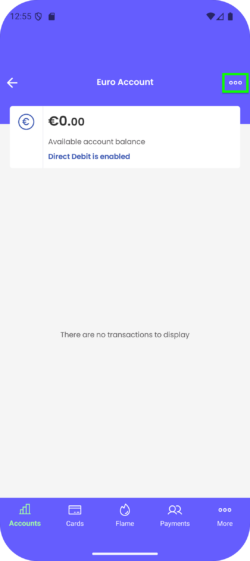
- Choose the relevant account you wish to transfer the funds from. Click the menu button and select the ‘Internal Transfer’ option from the list.
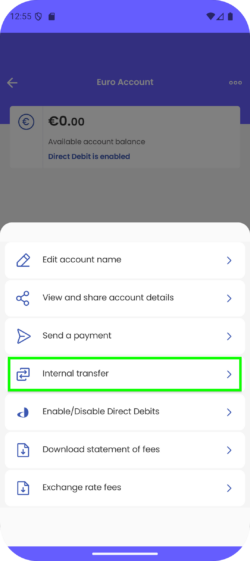
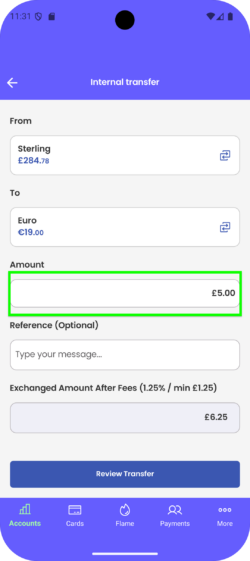
- The ‘From’ field is set to the account you selected. You can tap to change the account.

6. Enter the amount you wish to transfer and an optional reference.
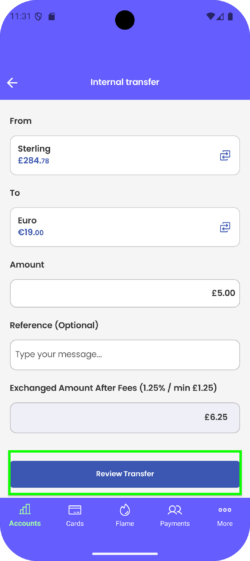
7. Click ‘Review Transfer’.
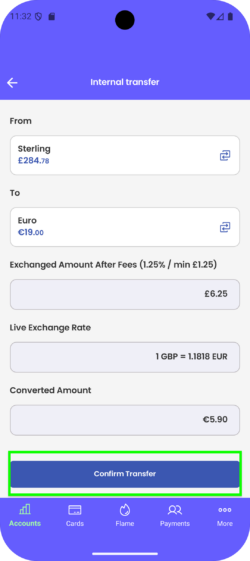
8. Review the details to ensure you are happy and click ‘Confirm Transfer’.
9. Once the FX Transfer has processed successfully, sending funds from one account to the other instantly, you can view the transfer in both of the relevant accounts.